We are looking for input on V15 new features/improvements. If you have some suggestions please post in this thread.
Below is a video of the LayerSet tool we are adding.
Layer Sets
http://www.csi-concepts.com/Demo/videos/v15/layerSetsFinal.mp4
Tim
We are looking for input on V15 new features/improvements. If you have some suggestions please post in this thread.
Below is a video of the LayerSet tool we are adding.
Layer Sets
http://www.csi-concepts.com/Demo/videos/v15/layerSetsFinal.mp4
Tim
Good idea Tim… definitely I will have some suggestions, but before to be honest I have some frustrations with V14…
1- Not stable with Sonoma
2- Variable blend problem
3- Gripper bizarre behaviour with mouse control
4- Push / Pull value window disappear
5- Perspective View not usable
…
I agree with Jean-Francois. V14 is not finished yet. Anyway here some of my suggestions:
1- Native Apple Silicon
2- Native Metal support
3- HW Ray Tracing support for new M3 CPU
4- A decent Mechanical 3D Expolded Views similar to Solidworks or Alibre
5- Resolve the “Simple Hole” and “Boss Feature” on curved surfaces as it doesn’t center at selected point. Very annoying and time consuming for workarounds
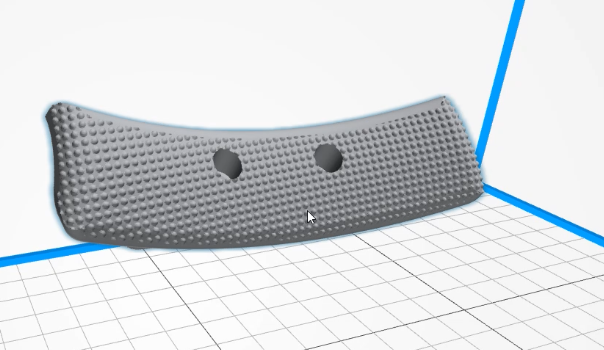
6- Create linear object patterns on curved surfaces. Example attached
7- Part Assemblies like Solidworks
8- a better User Manual describing all features with examples
9- Realtime Section Views
10- Resolve grouped object moving slowly
11- Better STEP import
This new feature seems similar to saving views with layers. Problem is though that the saved views get messed up when you save and close ViaCad. I haven’t checked lately to see if this saved views bug has been fixed.
This new feature seems similar to saving views with layers.
Save Views only save the view orientation.
Layer Sets save a collection of “on” layers, the construction layer, the view orientation, and the zoom/pan size.
Tim
I see, awesome!
Resolve the “Simple Hole” and “Boss Feature” on curved surfaces as it doesn’t center at selected point.
I think this is being caused by the menu switching between normal and axis. So I updated the next build to preserve the axis option when you switch tools.
I also made a quick video showing how to place holes and bosses on non-planar surfaces and how the hole depth and boss heights are measured.
http://www.csi-concepts.com/Demo/videos/tips/BossHoleNonPlanarSurface.mp4
Tim
Just watched that one Tim, and it was a good walkthrough and surprisingly a simpler method to achieve the same with fewer steps.
Mike
Tim, the video doesn’t reflect my situation. I have a PCB with mounting holes and need to place bosses or holes on a curved surface exactly perpendicular and centered to the PCB mounting holes.
…so can’t you define a plane on the axis of the PCB mounting holes. draw lines from these hole centres through the curved mouldings, select the point and boss out from there?
Sorry if I’m being dopey
Mike
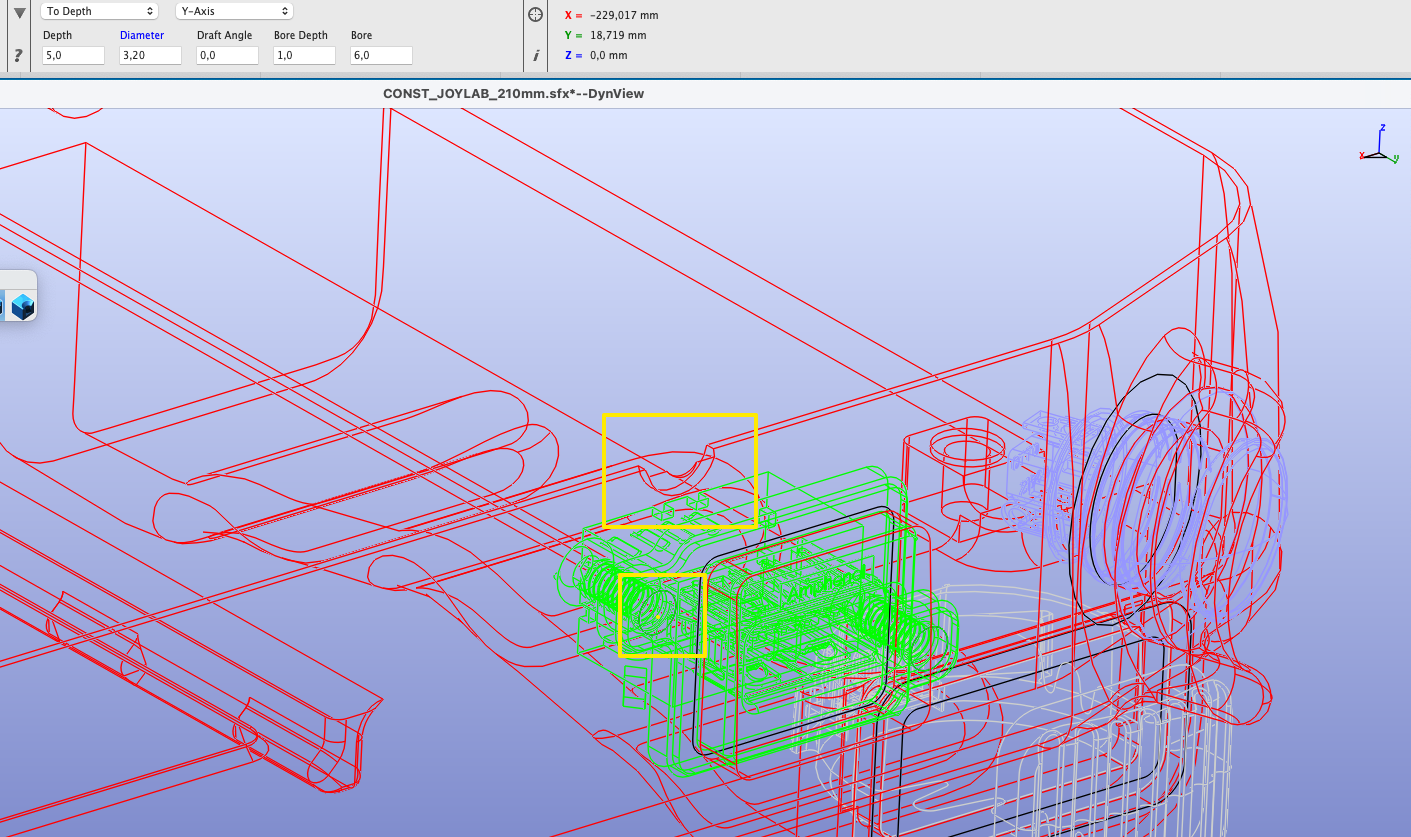
yes, we can do all the workarounds on this planet. But, if I have a tool that let me select an axis, let’s say Z-Axis, I have my workplace “Top”, select the curved surface for Boss, and select the PCB hole center, the Boss will be created out of center. This is a bug and have to be resolved!
I’m not sure there is a bug with the tool, it seems to be working as designed. The only thing the WorkPlane does is define a plane of projection for your snap point when you dig in space where there is no referenced snap. The hole and boss centerlines are going to be cylinders aligned with the specified axis not a work plane. I likely need a better understanding of your problem and use.
Tim
here is an example: make a hole in the Y-direction. Y-Axis. Select the center point of the USB mounting hole. The hole is made above.
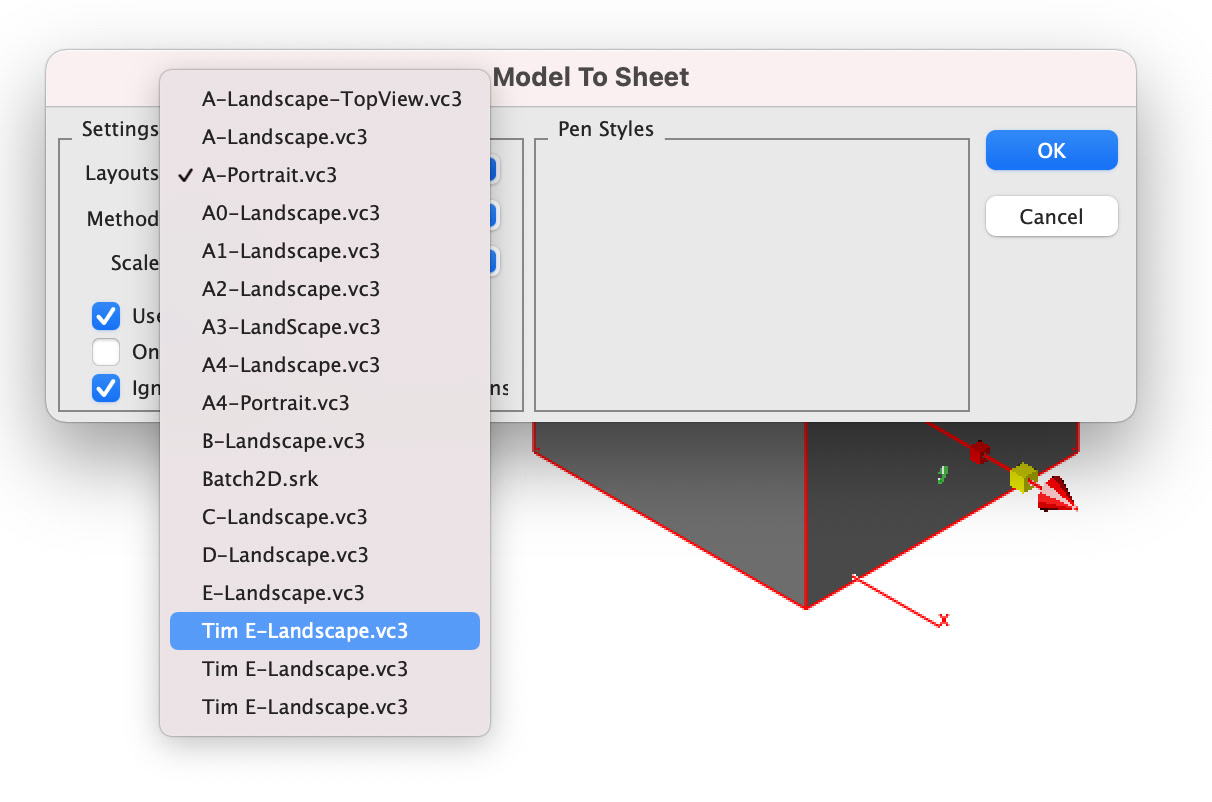
I have a long time request to have user generated templates, like my custom model to sheet layouts, removed from the program package and placed in a ressource folder in the system folder. Right now every time you upgrade the app you loose the templates.
Claus
I’m using the Apple Vision Pro to check out my 3d models in AR. Boy, is that something else, super efficient way to detect proportion mistakes and see details you don’t really notice on a flat screen. Already saved me a ton of 3d prints. Right now I export obj files and use Adobe Stager to assign materials and export in USDZ format to my iCloud file folder, then access with the Vision Pro. For a quicker workflow I would like for Shark to export USDZ file format directly, ideally with some basic material properties like metal, wood, plastic and glass.
Claus
For a quicker workflow I would like for Shark to export USDZ file format directly
Claus
I’m very interested. I’ve even asked Apple’s director of 3D apps to provide me some example source code related to USDZ (which he declined).
Tim
Hello Tim,
Do you have an answer for me? Unfortunately, V14 doesn’t work properly on Sonoma. What a pity, it was very good on Ventura.
Inconsistant snap - Command for zoom in - zoom out not a fast respond. The Gripper, an ultime tool doesn’t work good etc..etc…
Hi Tim
I think the box text tool could do with a upgrade.
Its about as functional as a 1995 version of Word Pad. 
If it was easier to use it could be a lot easier to make notes, present details ect.
I made a few suggestions here.
http://forums.punchcad.com/default.aspx?g=posts&t=10999#post42228
Its probably way more complex than it seems but If you could put the tools, variable / equations. Attributes / Bom, and Mark up inside the text box tool with the ability to adjust things a bit.
Maybe with a bit of very basic excel type features and all the text editing things present without having to pull up the inspector.
Its probably just me being scattered that I find the text handling a bit all over the place.
Just a suggestion
Claus
You should be able to do that in your current version.
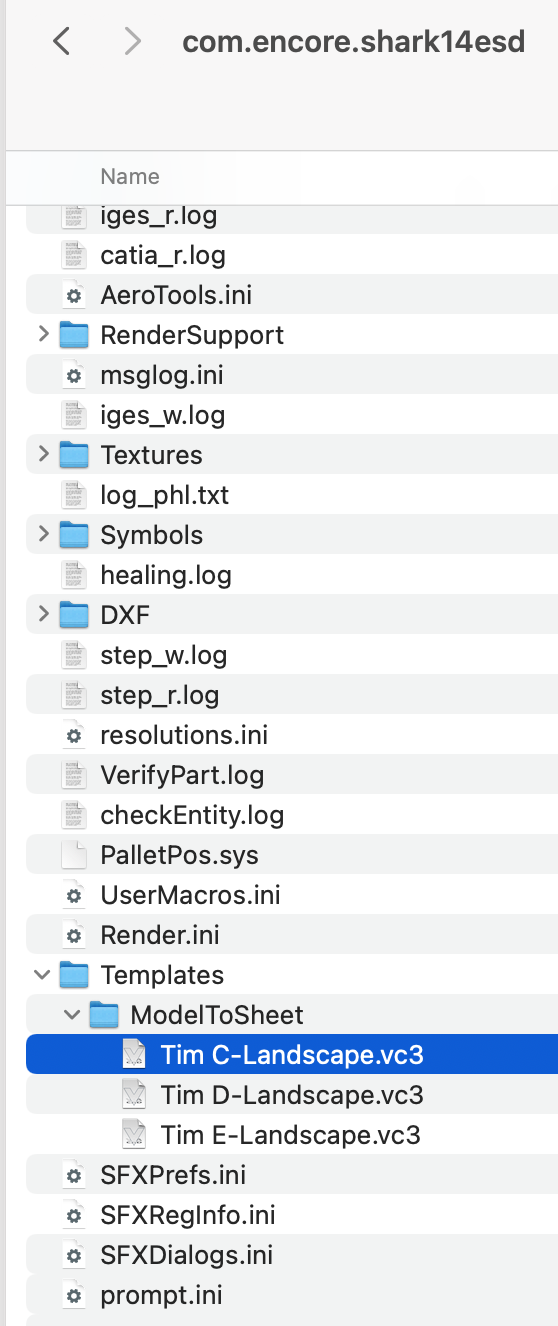
For Mac place your files in:
/Users//Library/Application Support/com.encore.shark14esd/Templates/ModelToSheet
Tim
With the text editing thing it could just be the way I am using it.
I have attached a short video where I try and underline a word, or justify a single line.
I try and isolate the word in the text box and also in the command or information box.
I select the feature i want to apply from the inspector but it gets applied to the whole box.
[h]Trying to edit lines of text. [/h]
Build 1639